Skip to content
CardSwipe

Inside the app

Every screen, from the current build

Captures from the running iOS and watchOS build. Card and merchant names in these screens are sample data, so nothing here is a real wallet.
Platforms
iOS 18, watchOS 11
Market
US cards
Launch
Late 2026
Bank login
Never asked

On iPhone

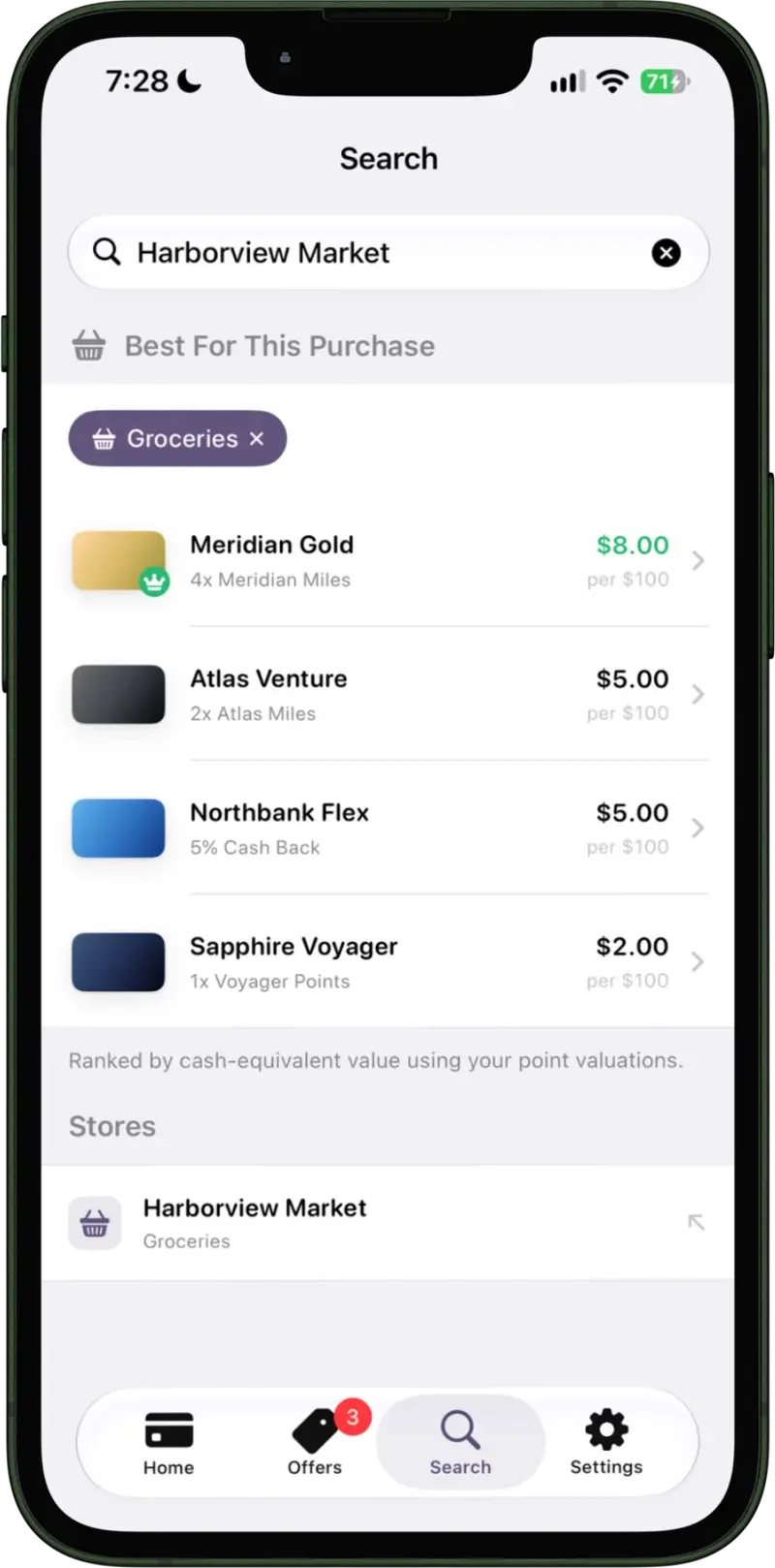
CardSwipe search resolved to Harborview Market, with the wallet ranked by cash-equivalent value and the winning card returning $8.00 per $100

Best for this purchase

Search a store and the wallet reorders by what each card would return there, the winner badged.
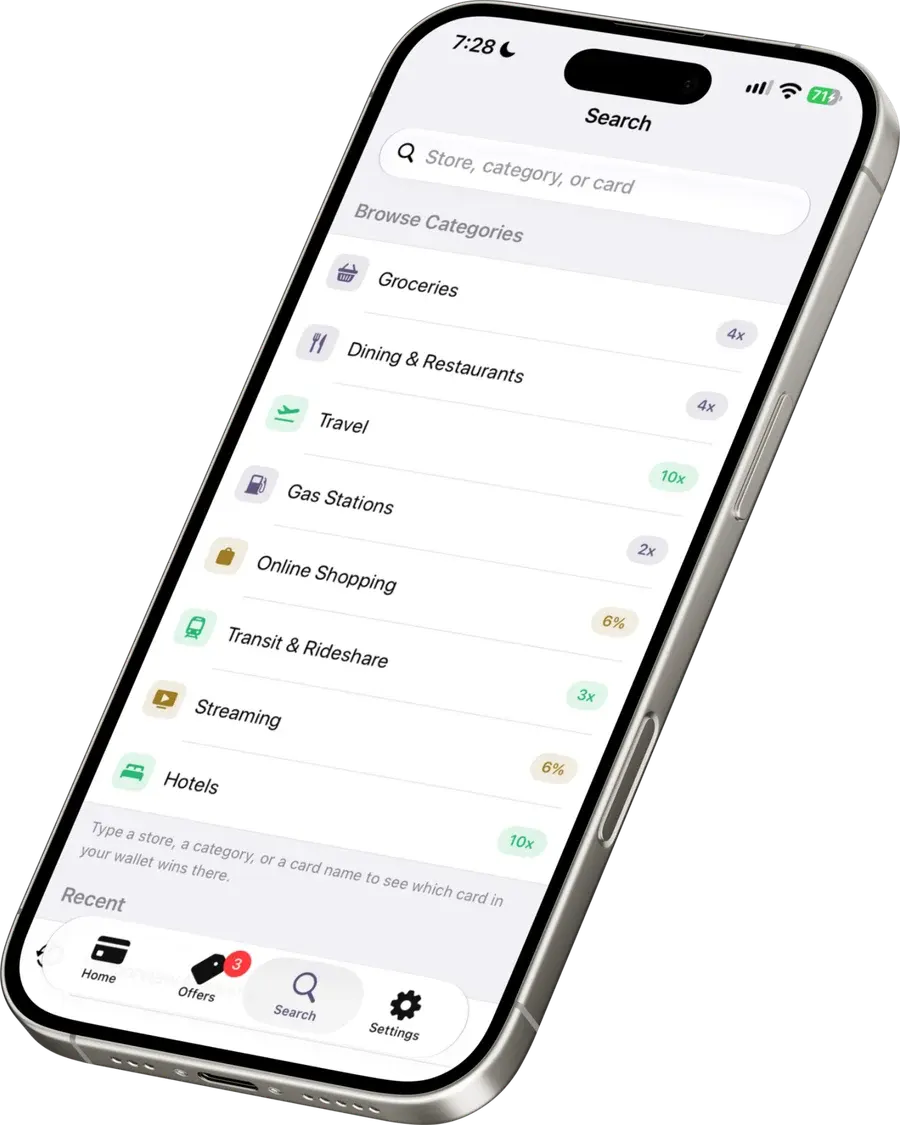
CardSwipe search screen listing spending categories with the best rate in your wallet badged against each

Browse by category

Before you type anything, every category shows the best rate your wallet can reach.
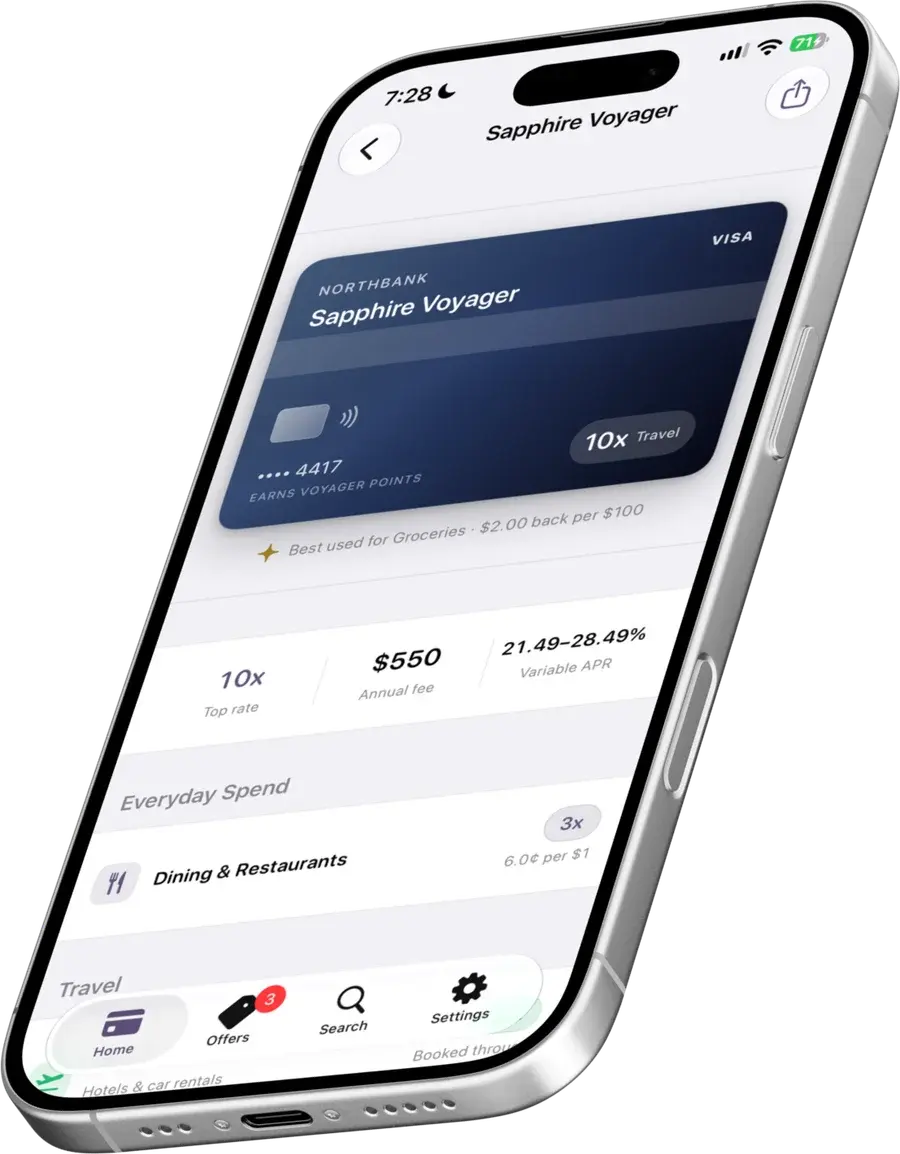
CardSwipe card detail on iPhone: the card face, top rate, annual fee and variable APR, then earn rates grouped by category

Card detail

The card face, its fee and APR, then every earn rate it carries, grouped by category.
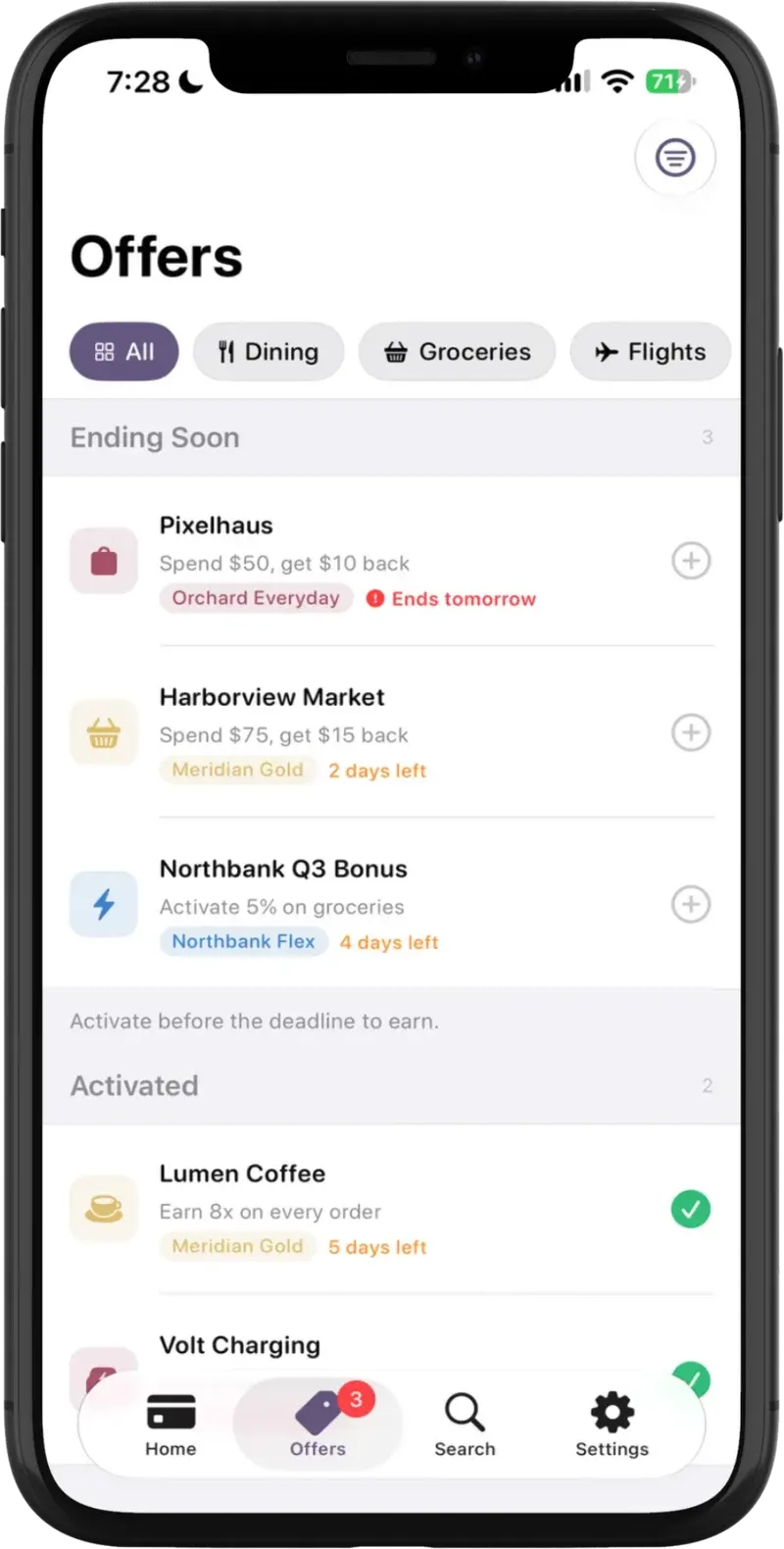
CardSwipe offers screen on iPhone showing offers ending soon and offers already activated

Offers

Ordered by what expires first, each showing whether it still needs activating.

On Apple Watch

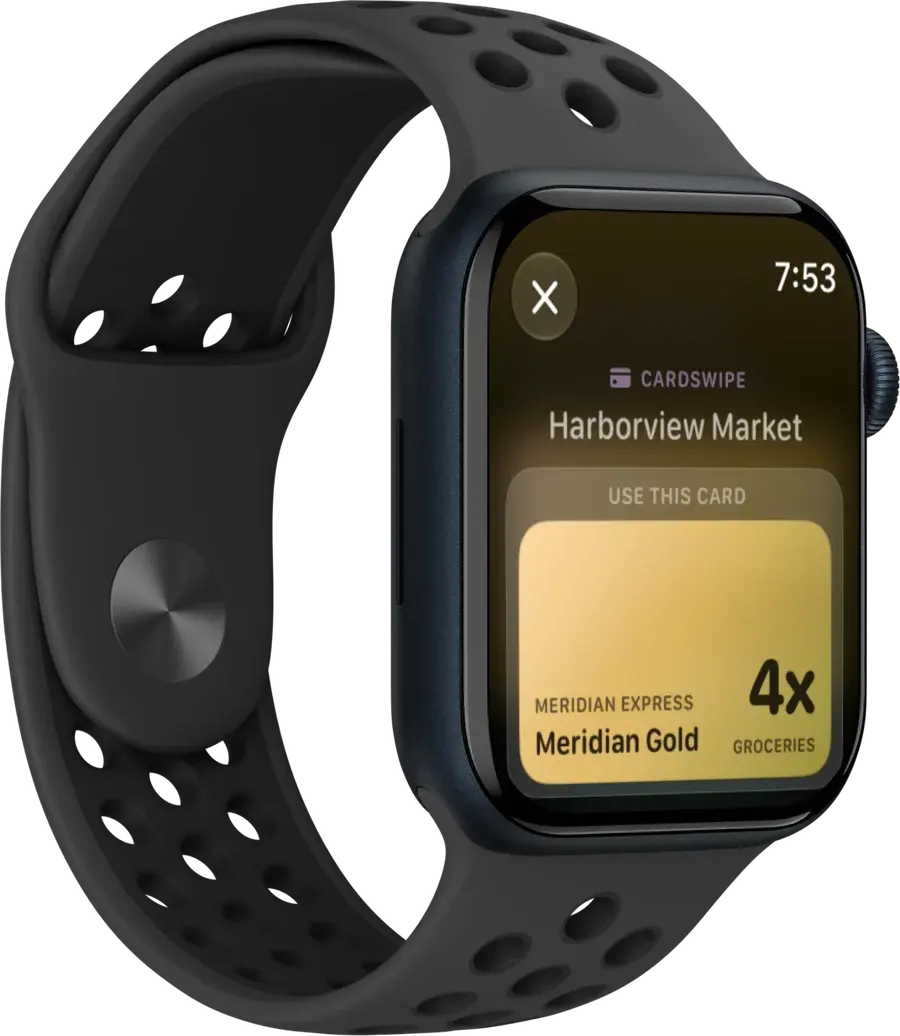
The same ranking, one line shorter, for the times the phone stays in a pocket.
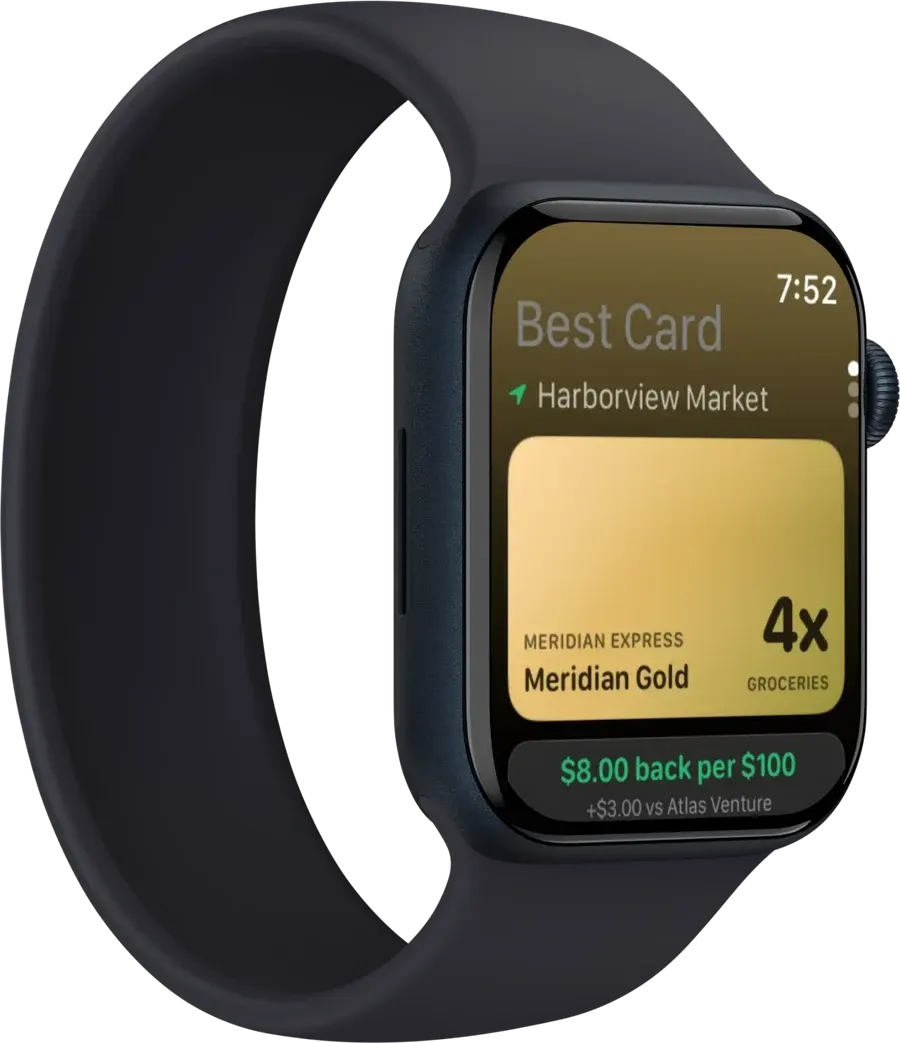
Apple Watch showing the best card for Harborview Market: 4x on groceries, $8.00 back per $100, three dollars more than the next card
Best card
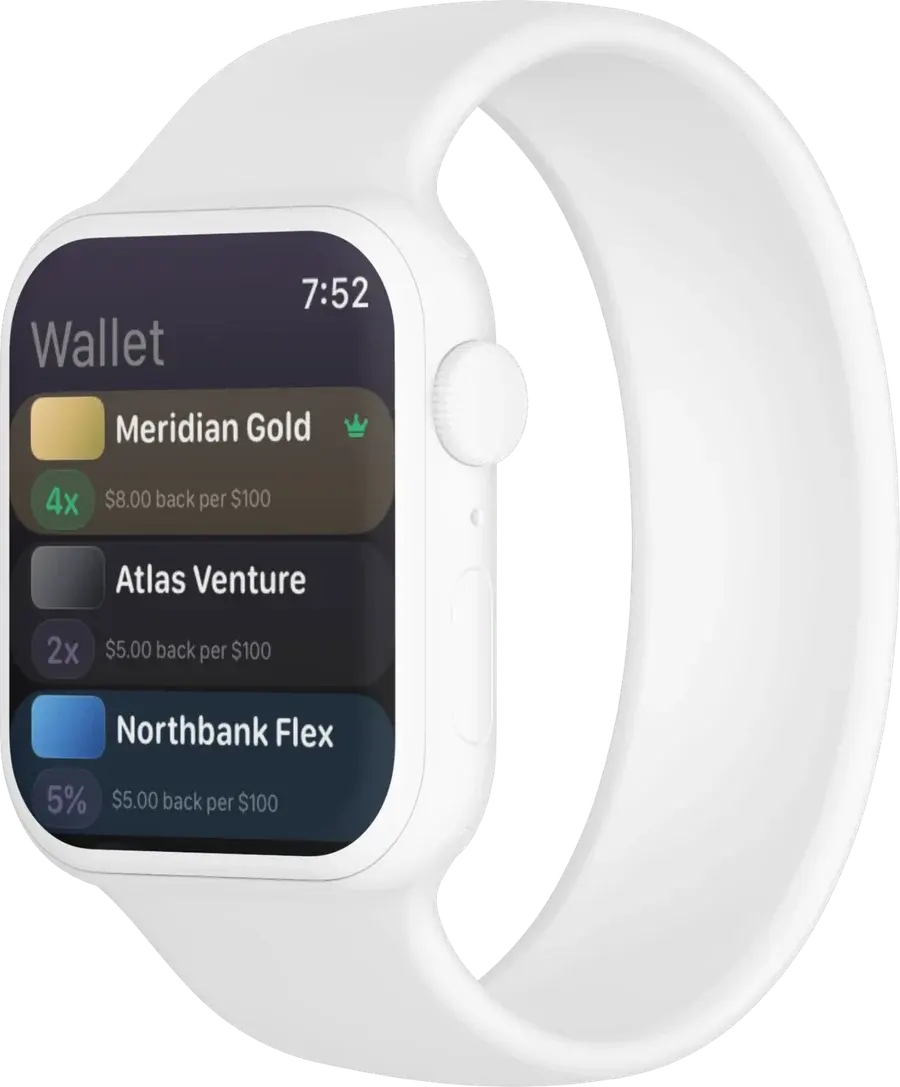
Apple Watch showing the wallet list, each card with its multiplier and what it returns per $100
Wallet
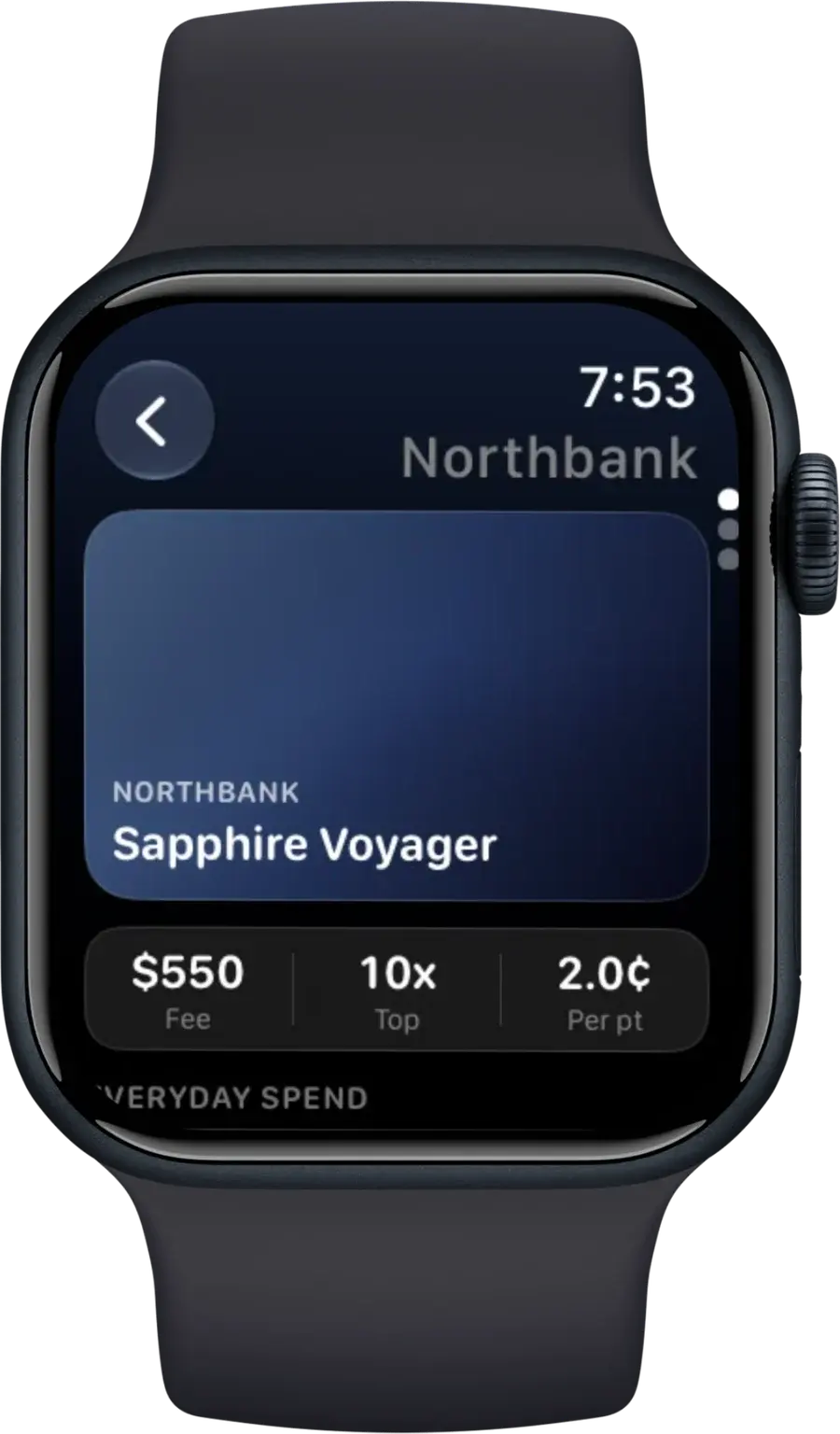
Apple Watch showing one card with its annual fee, top rate and point valuation
Card detail
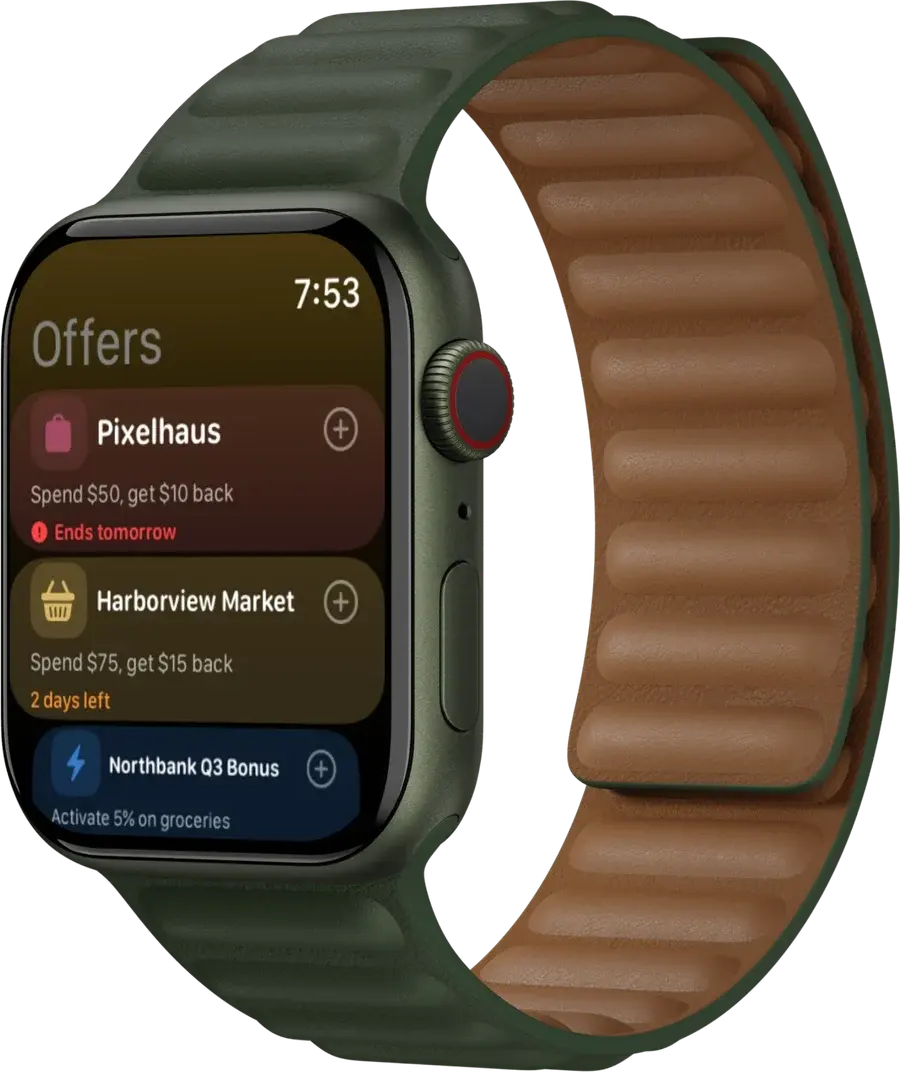
Apple Watch offers list with each offer's reward and how long it has left
Offers
Apple Watch notification from CardSwipe naming the card to use at Harborview Market
Notification

Be the reflex, not the afterthought

Join the early access list. No bank login required to sign up, which is rather the point.

Get early access