
Skip to content
CardSwipe

Swipe the right card

CardSwipe names the best credit card for the store you are standing in, on your Lock Screen. Free, and no bank login: you type the cards you carry, nothing else.

Every store has a different best card

The rates are buried in issuer terms, so at the register it’s easy to reach for the same card every time. Here is one wallet of four cards, and the one to use for each purchase.

Where you are payingBest cardWhat it earns
Whole FoodsAmerican Express Gold4xon groceries
Booking a flightChase Sapphire Preferred5xvia Chase Travel
StreamingBlue Cash Preferred6%on streaming
Anywhere elseCiti Double Cash2%on everything

Sample wallet from the App Store screenshots. CardSwipe works this out for the cards you carry.

Try it against a counter you stand at

The same arithmetic the app runs, on a sample wallet. Costco is the one that catches people out.

Example wallet of five cards: Blue Cash Preferred, Amex Gold, Chase Sapphire Reserve, Citi Double Cash and Capital One Venture X. Pick a counter and watch which one wins.

You walk into

Costco Wholesale

Warehouse club

Use Venture X.

2x everything, Visa

$1.60back per $100 spent
  • Capital One Venture X$1.60
  • Chase Sapphire Reserve$0.80
  • Citi Double CashNot accepted$0.00
  • Blue Cash PreferredNot accepted$0.00
  • American Express GoldNot accepted$0.00

Points counted at 0.8¢, the conservative default you can change in Settings.

Reliable coding. Codes reliably as a warehouse club, not a supermarket. US warehouses take only Visa credit cards, so the two Amex cards and the Mastercard cannot be used at the register.

Lock Screen

Saturday, June 14
9:41
CardSwipe
Use Venture X
Costco Wholesale, 2x everything, Visa
~$1.60 back per $100

Apple Watch

Best card
Venture X
2x everything, Visa
+$0.80 vs next

Costco Wholesale: use Capital One Venture X at 2x everything, Visa, worth about $1.60 per $100, $0.80 more than Chase Sapphire Reserve. Codes reliably as a warehouse club, not a supermarket.

Three inputs, none of them a password

  1. First

    You name the cards you carry

    Search the issuer, pick the product. Amex Gold, Sapphire Reserve, whatever is actually in your wallet. That is the entire setup, and it takes under a minute.

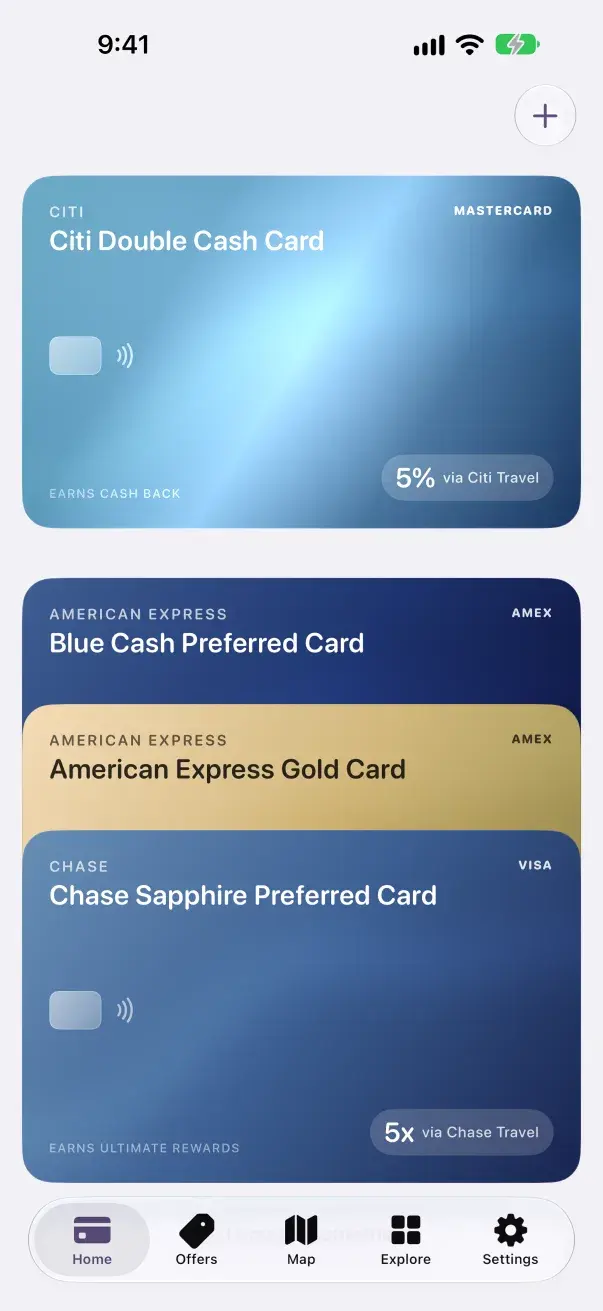
    CardSwipe home screen showing a wallet of four cards added by name
  2. Then

    The rules are already loaded

    Category multipliers, quarterly rotators, spend caps, activation state. CardSwipe knows what your cards earn, so you never type a reward rate.

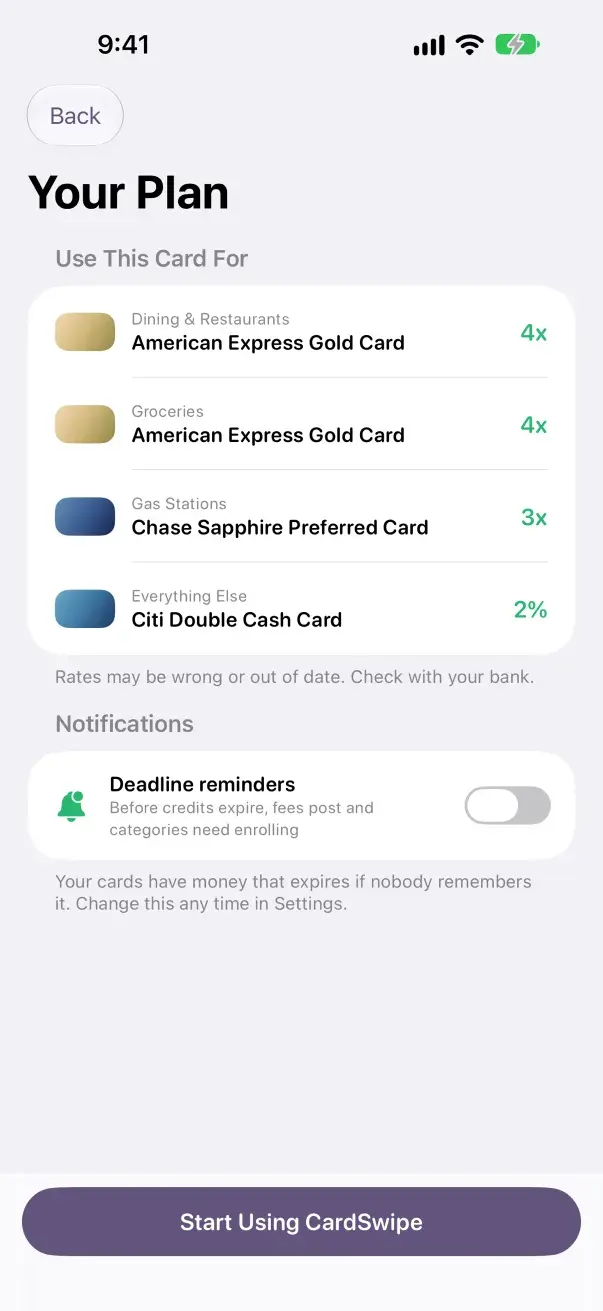
    CardSwipe plan screen: American Express Gold for dining and groceries, Chase Sapphire Preferred for gas, Citi Double Cash for everything else
  3. From then on

    The answer arrives before you do

    Walk up to a counter and the Lock Screen already shows the card to reach for. Open the app only when you want to check the ranking yourself.

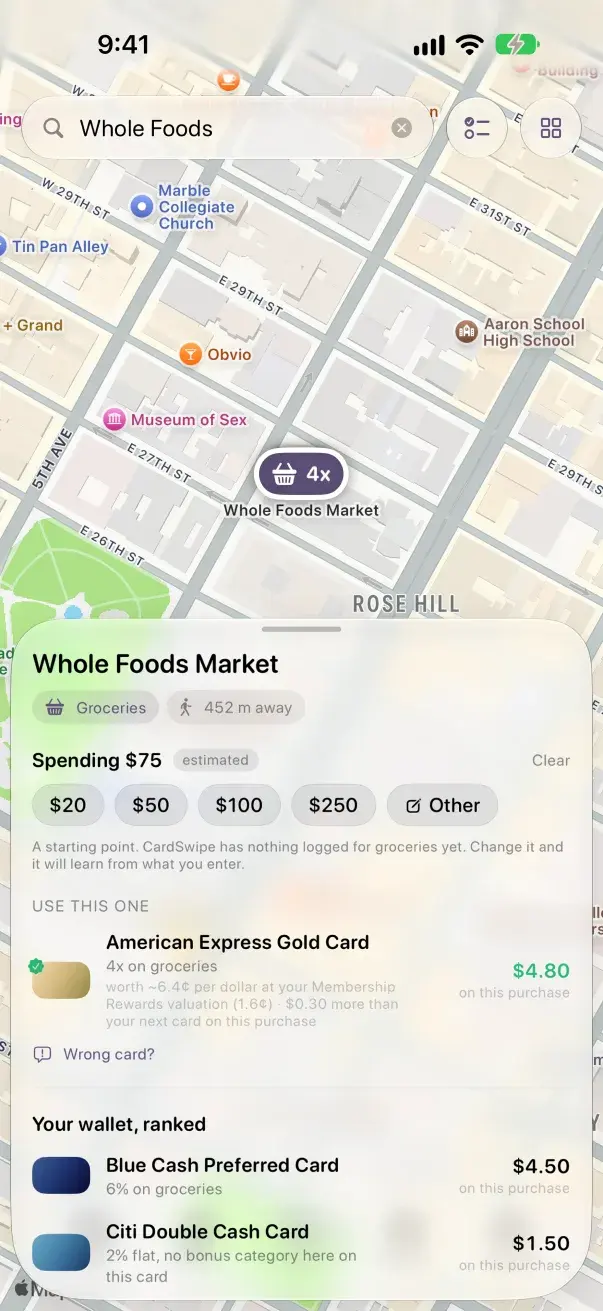
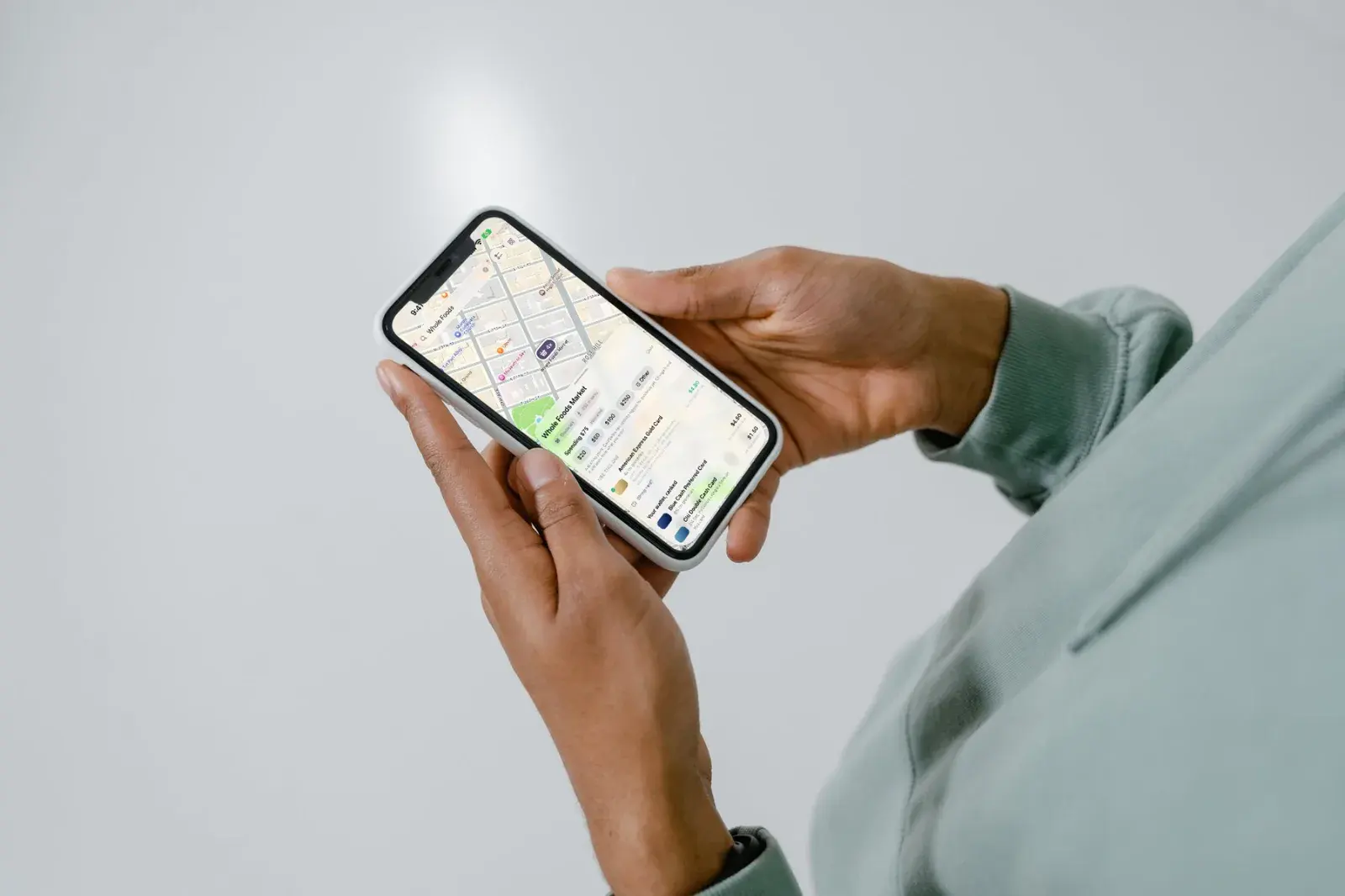
    CardSwipe at Whole Foods Market: use the American Express Gold Card, 4x on groceries, $4.80 on a $75 purchase

Inside

The app as it ships. The cards in every screen are a sample wallet.

A person holding an iPhone showing the CardSwipe map
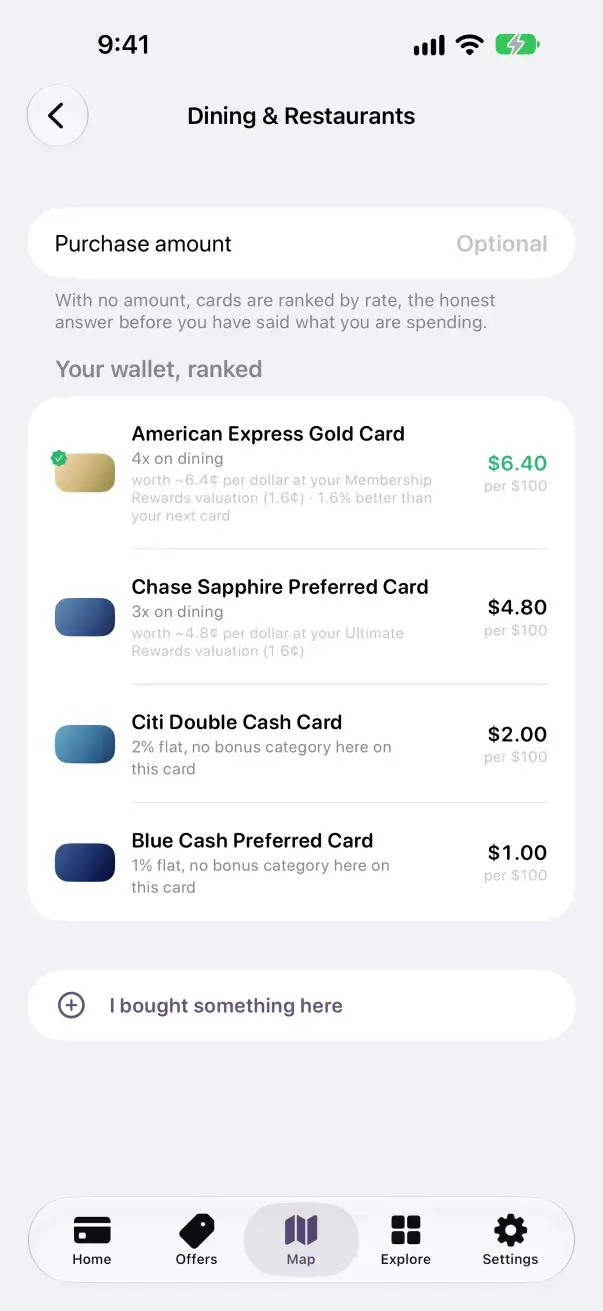
CardSwipe ranking every card for dining
A hand holding an iPhone showing CardSwipe offers
CardSwipe wallet with four cards
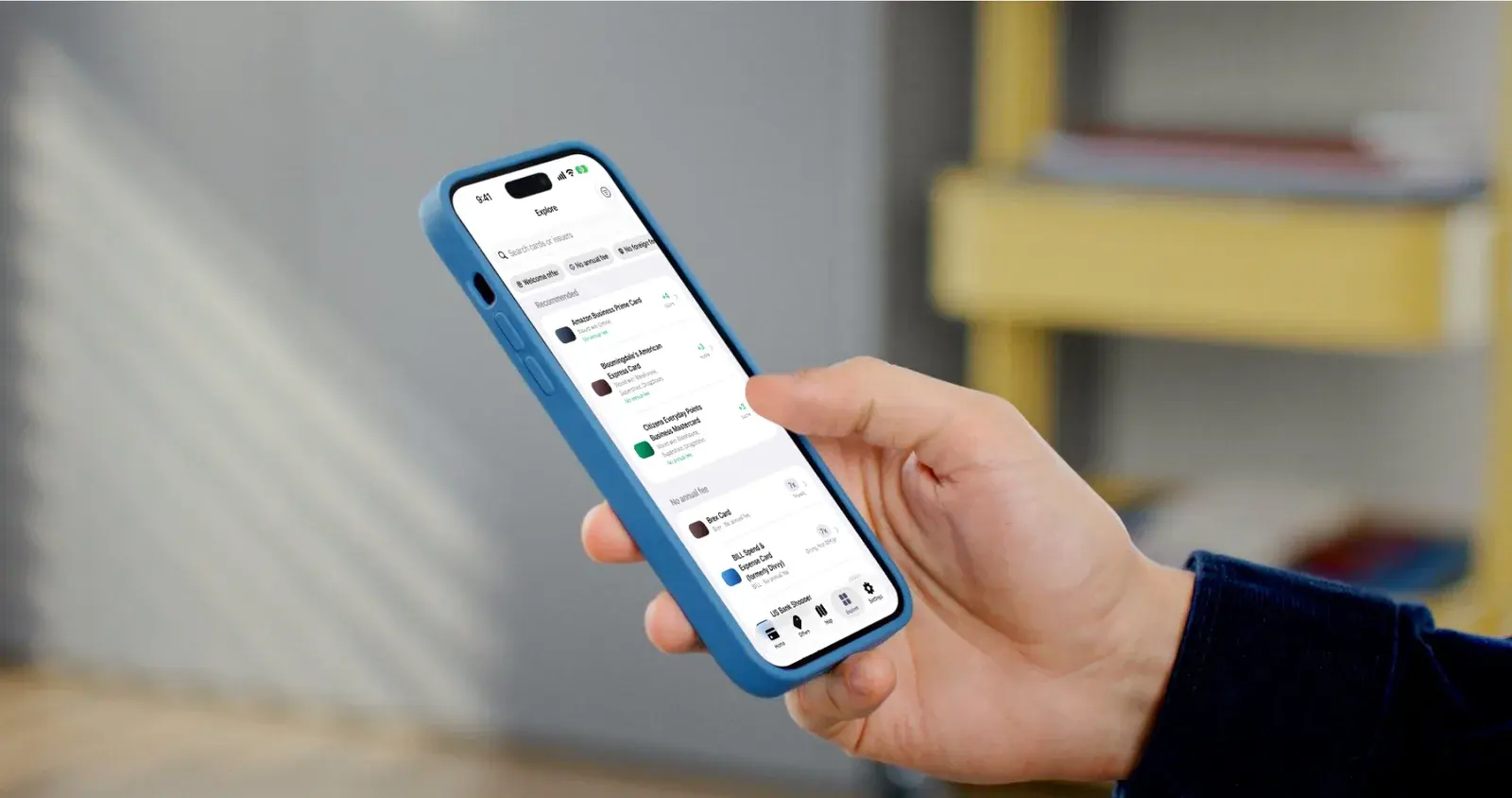
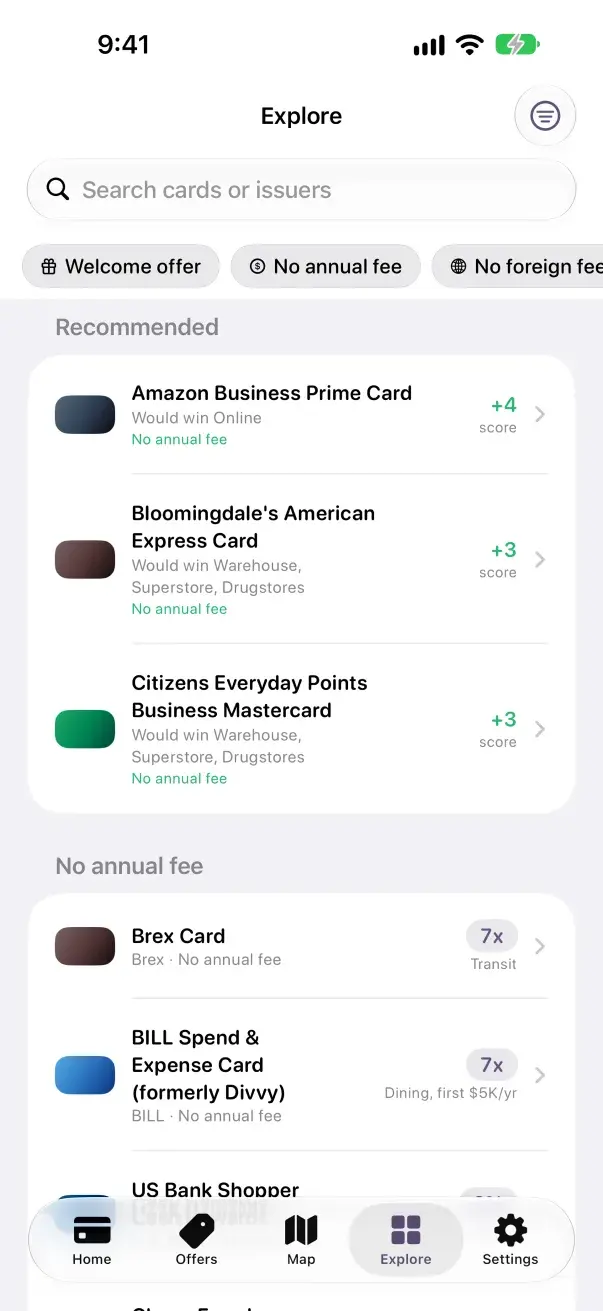
CardSwipe explore screen
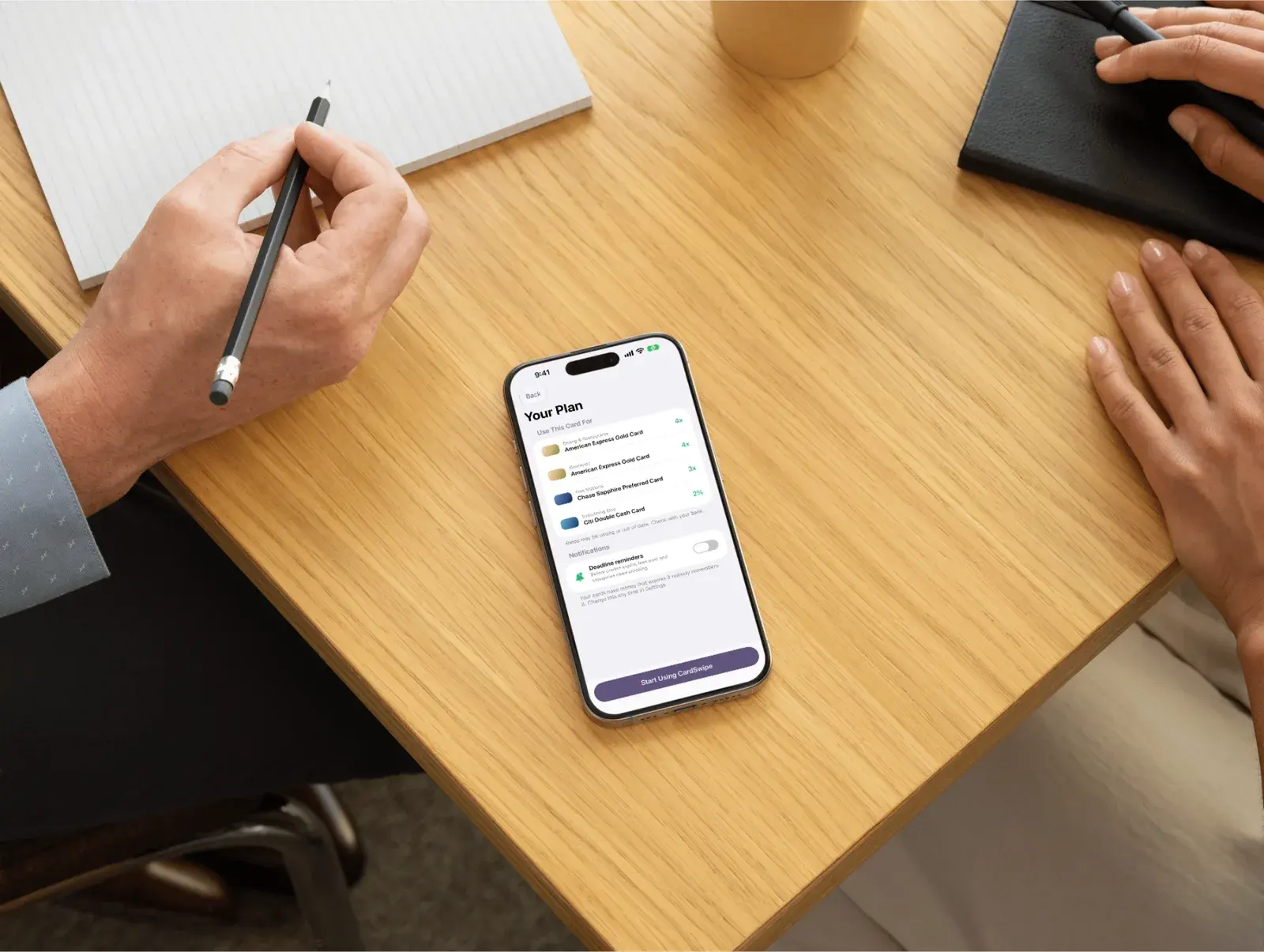
An iPhone on a desk showing the CardSwipe plan
CardSwipe plan, one card per category
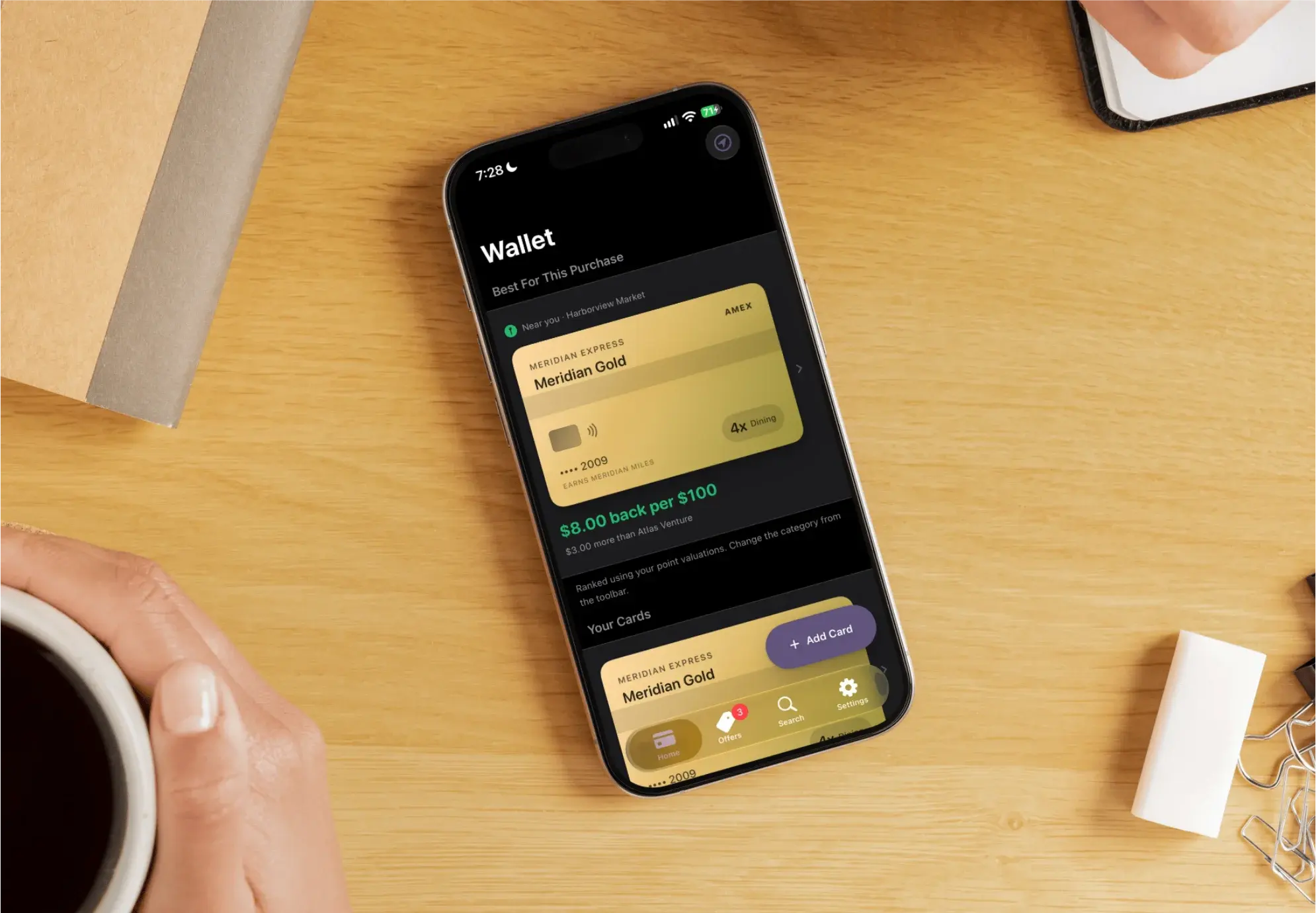
An iPhone on a wooden table showing the CardSwipe wallet
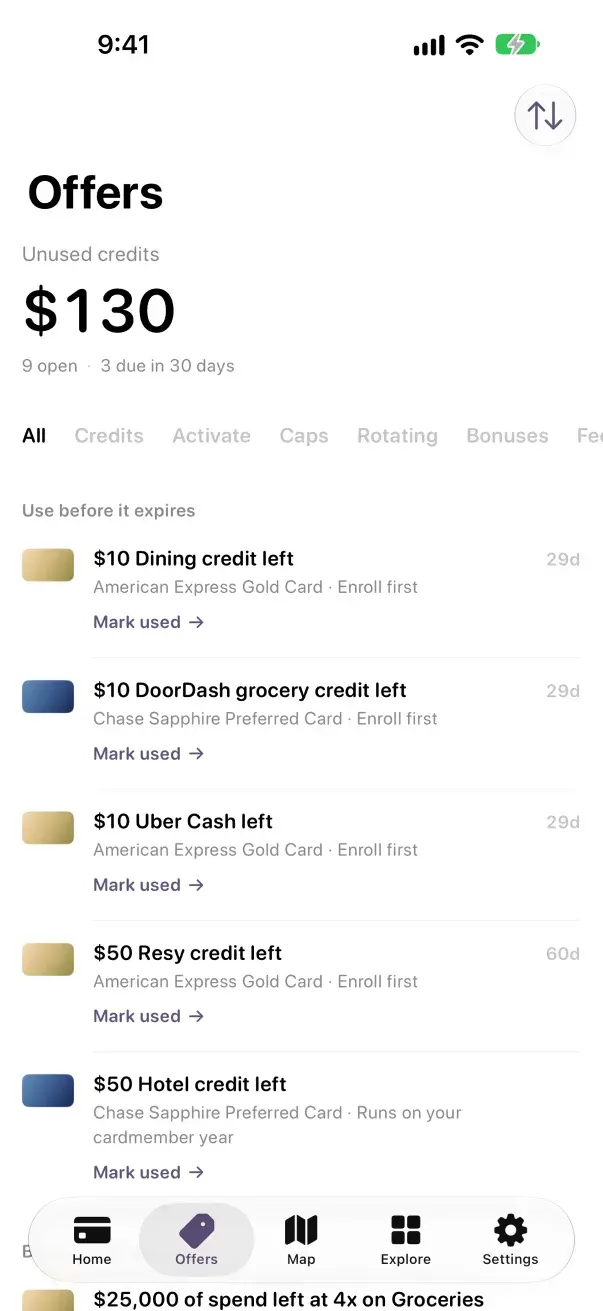
CardSwipe offers sorted by deadline
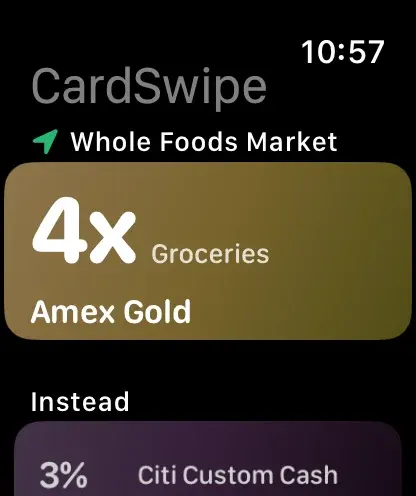
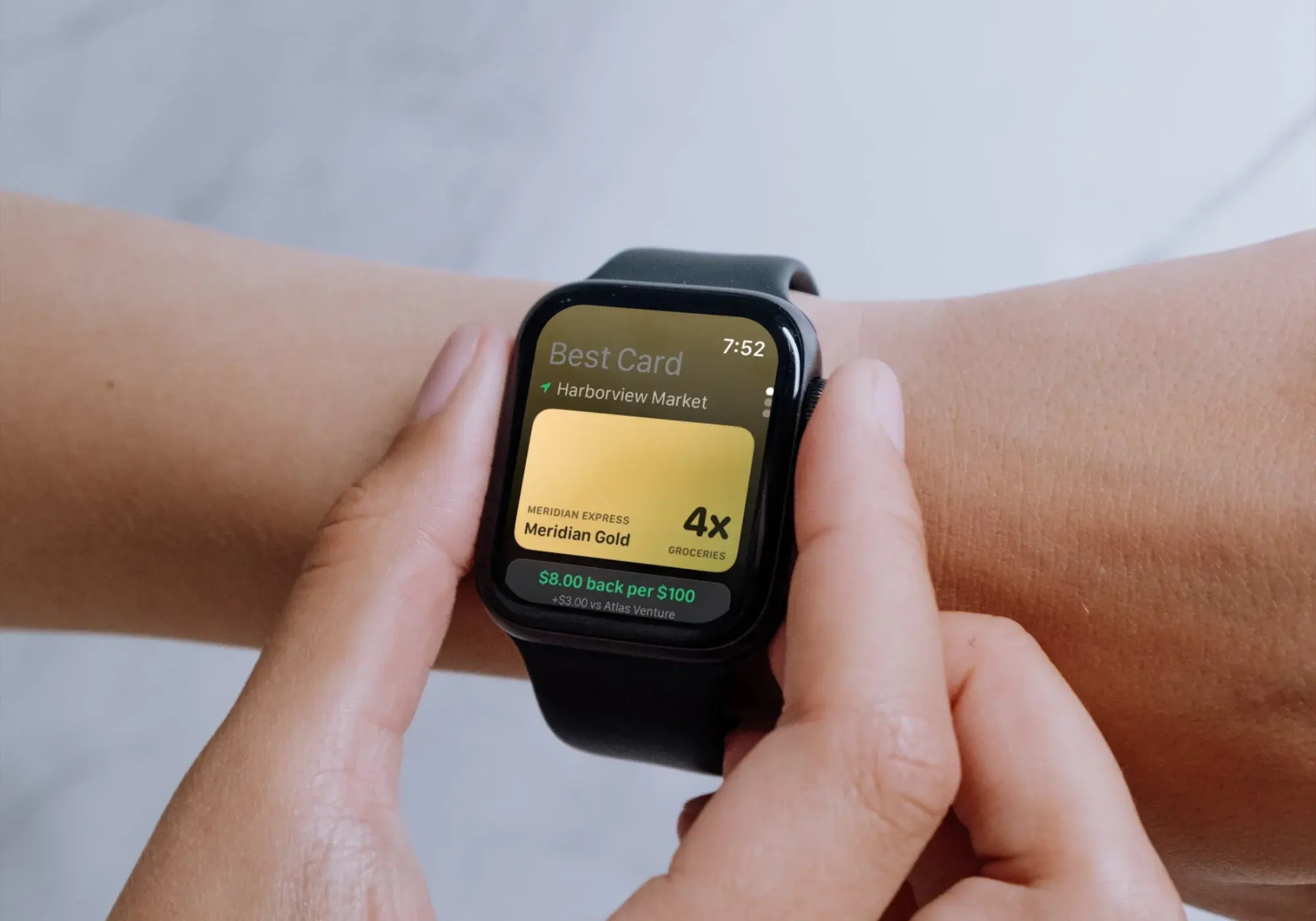
CardSwipe on an Apple Watch naming the best card at a market
CardSwipe at Whole Foods Market naming the card to use

At the counter

Search a store, or find it on the map. You get the card to use, what it returns on this purchase, and the rest of your wallet ranked under it.

Whole Foods, sample wallet
American Express Gold
Rate
4x on groceries
On a $75 purchase
$4.80 back
CardSwipe at Whole Foods Market: use the American Express Gold Card, 4x on groceries, $4.80 on a $75 purchase, with the other cards ranked below
An iPhone on a wooden table showing the CardSwipe wallet

Your wallet, your plan

Add the cards you carry by name. One card per category is worked out the moment you finish, so the common answers are already known.

Setup
Under a minute
What you enter
Card names, nothing else
Linked accounts
None
An iPhone on a desk showing the CardSwipe plan
CardSwipe wallet: Citi Double Cash, Blue Cash Preferred, American Express Gold and Chase Sapphire Preferred
CardSwipe plan: American Express Gold for dining and groceries at 4x, Chase Sapphire Preferred for gas at 3x, Citi Double Cash for everything else at 2%

Credits before they lapse

Statement credits and offers across the wallet, ordered by the deadline that comes first, each marked when it needs enrolling.

Sort order
Soonest deadline first
Sample wallet, unused
$130
Open, and due in 30 days
9 and 3
A hand holding an iPhone showing CardSwipe offers
CardSwipe offers: $130 in unused credits, nine open and three due in 30 days, led by a $10 dining credit

On Apple Watch

The same ranking, one line shorter, for when the phone stays in a pocket. The Watch app comes with the iPhone app.

Needs
watchOS 11 or later
Screens
Best card, wallet, offers, categories, card detail
Also on iPhone
Lock Screen and Home Screen widgets
CardSwipe on Apple Watch at Whole Foods Market: Amex Gold, 4x on groceries, with Citi Custom Cash at 3% as the alternative
CardSwipe on an Apple Watch naming the best card at a market
See every screen

Most card apps read your accounts

Most reach the answer through your bank login. CardSwipe asks which cards you carry, and nothing else. This is the whole ledger.

Why it works without a login
Other apps ask for
CardSwipe asks for
Bank username and password
Never asked
Account balance
Never asked
Full transaction history
Never asked
Card numbers, CVV, expiry
Never asked
Credit score
Never asked
—
The cards you carry, typed in by product name
—
Merchant location, used to name the store and never stored
Running total collected by CardSwipe$0.00, zero credentials

New, and saying so

CardSwipe launched this month, so there are no reviews or press to quote yet. Here is what is true today. Write to hello@cardswipe.app and one of us replies.

Nov 5 Launched on the App Store, 2026

442 US cards, each with its earn rules

2 Founders, who answer every email themselves

$0 Free on the App Store, no bank login

Two people you can look up

Before you install it

Anything else, email hello@cardswipe.app.

Is CardSwipe on the App Store?

Yes, since Thursday, November 5, 2026. cardswipe.app/download takes you straight to the listing.

Is CardSwipe free?

Yes. It is free on the App Store. There is no bank login to hand over and no affiliate link deciding the answer.

What do I need to run it?

An iPhone on iOS 18 or later. The Apple Watch app comes with it and needs watchOS 11 or later. CardSwipe covers US consumer cards.

Which cards does it know?

442 US cards, each with its published earn rules: category multipliers, caps and rotating categories. You find yours by issuer or product name. Corrections to a card's rules reach the app without waiting for an App Store update.

Does CardSwipe need my bank login?

No. You type in the names of the cards you carry, such as Amex Gold or Chase Sapphire Reserve. CardSwipe never asks for a bank username, password, card number, balance or transaction history.

How does it know which card wins at a store?

CardSwipe keeps the published earn rules for each card: category multipliers, quarterly rotators, spend caps and activation state. It matches the merchant to a category, applies your point valuation, and ranks your wallet by cash-equivalent return.

What does it do with my location?

Location is used on the device to name the merchant you are standing at, so the widget can answer before you unlock the phone. It is not kept as a history and is not sent anywhere as a record of where you shop.

How accurate are the reward rates?

Rates come from published issuer terms and are shown as estimates, with the cap or exclusion stated alongside. Where merchant coding is uncertain, such as a coffee kiosk inside a grocery store, CardSwipe says so rather than guessing.

How does CardSwipe make money?

Not yet. There are no affiliate links and no paid placement anywhere on this site today. When apply links do arrive, CardSwipe may be paid when someone is approved for a card, each link will be labelled where it appears, and rankings will stay computed from published issuer terms rather than from what a card pays us.

Know the card before you reach the register

Add the cards you carry and check the answer at the next counter you stand at.

Free. No bank login. No card numbers. Ever.